C++ Delaunay Triangulation and Voronoi library Fade2D
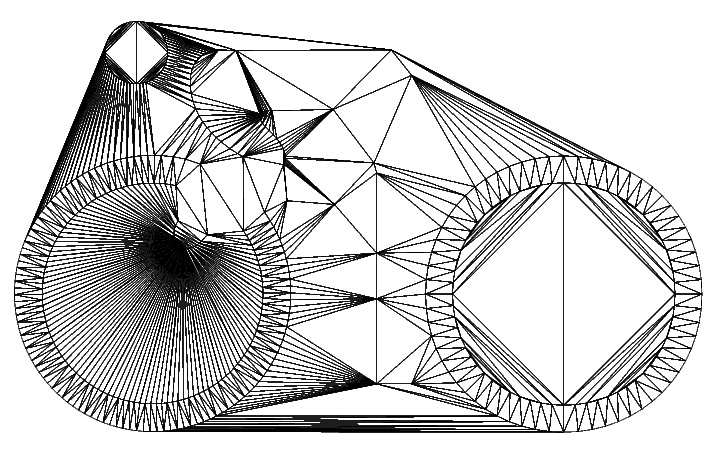
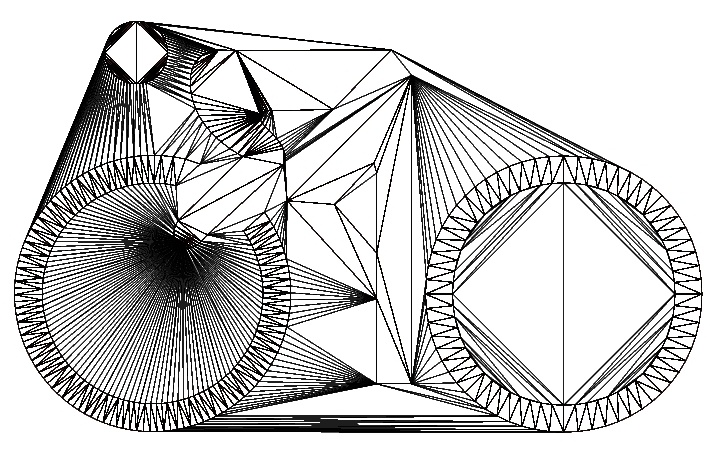
- Fast C++ Constrained Delaunay triangulation and Voronoi library , see the benchmark.
- C++ examples for
- Free Student license. Commercial licenses and support are available.
- Support for Windows (Visual Studio, MinGW), macOS and iOS, Linux (GCC) on PC and Raspberry PI
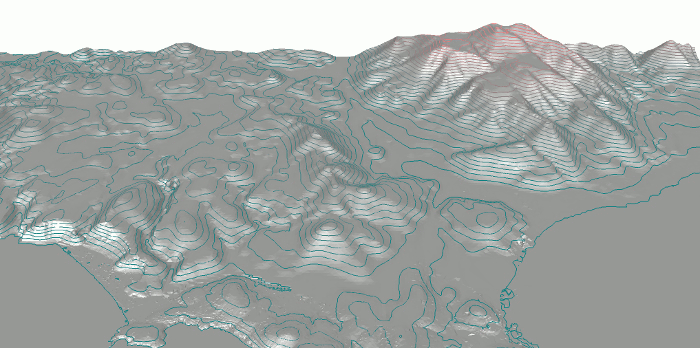
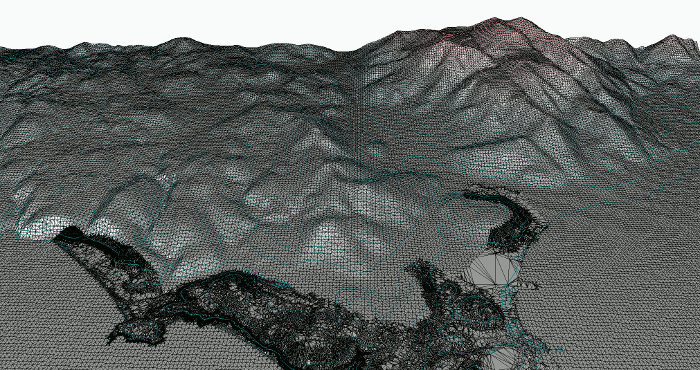
ISO contours of 550 000 triangles at 30 different elevations computed in 0.38 seconds (Core i7 870).
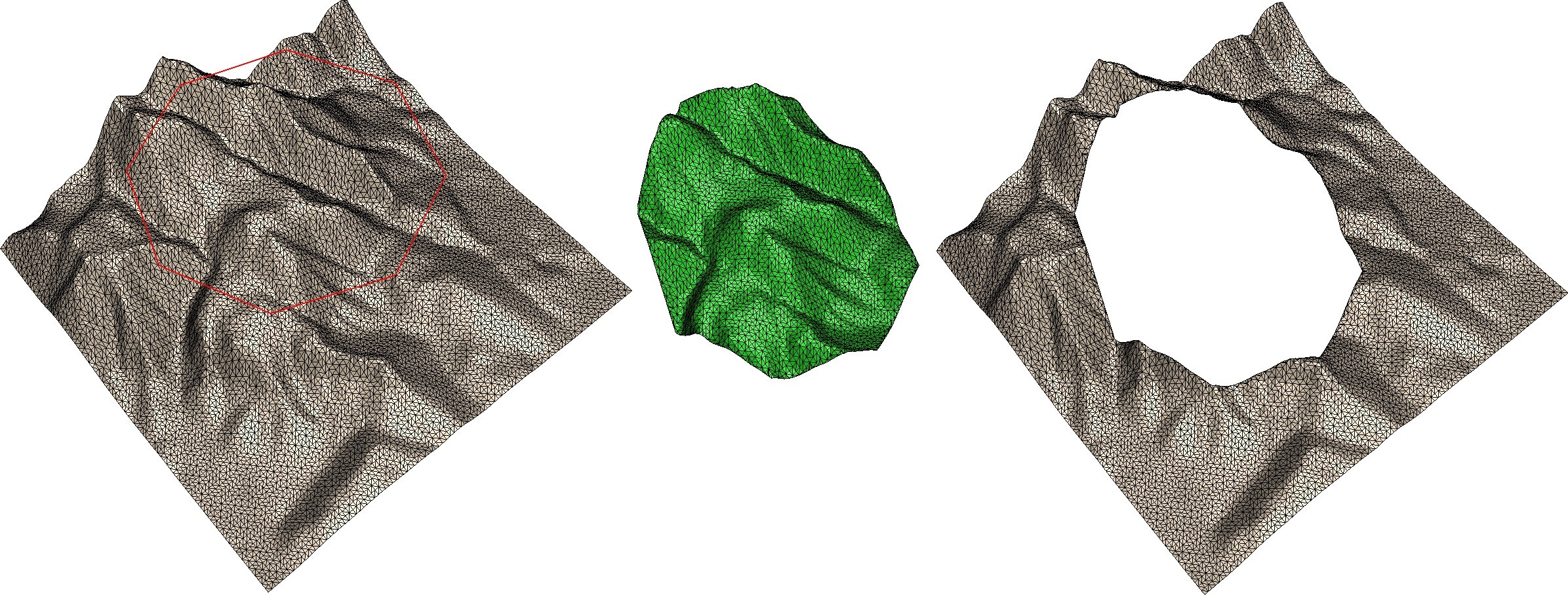
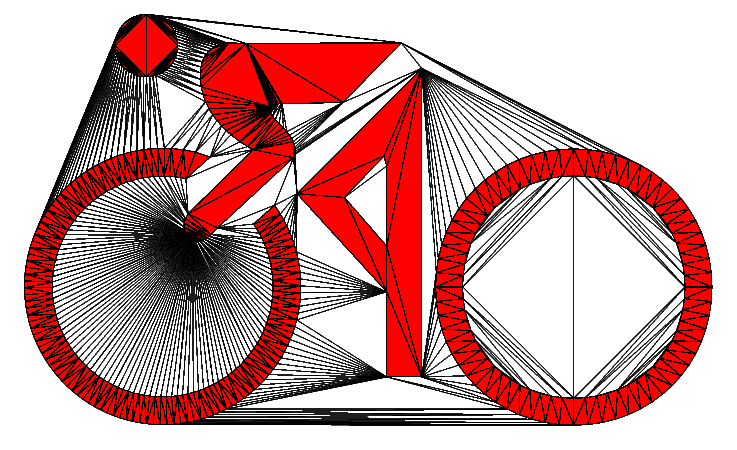
Cookie Cutter: C++ source code demonstrates how to cut out a certain polygonal area from a triangulation
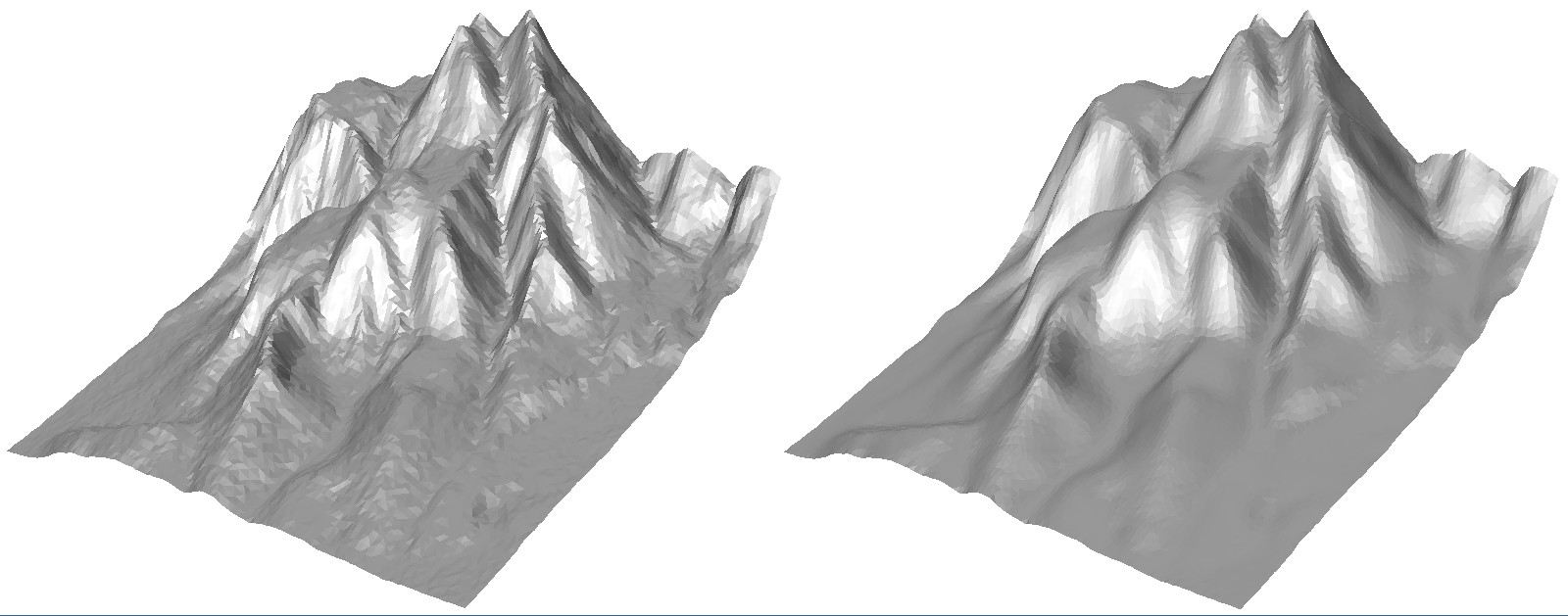
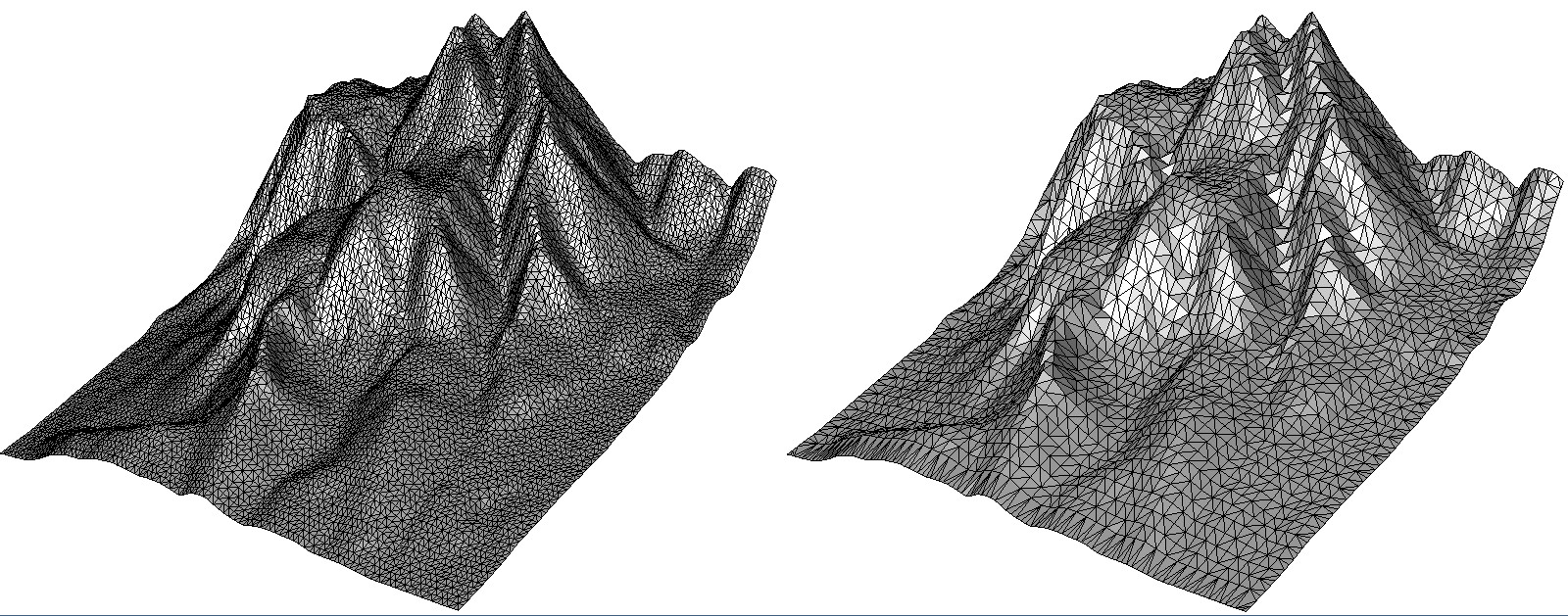
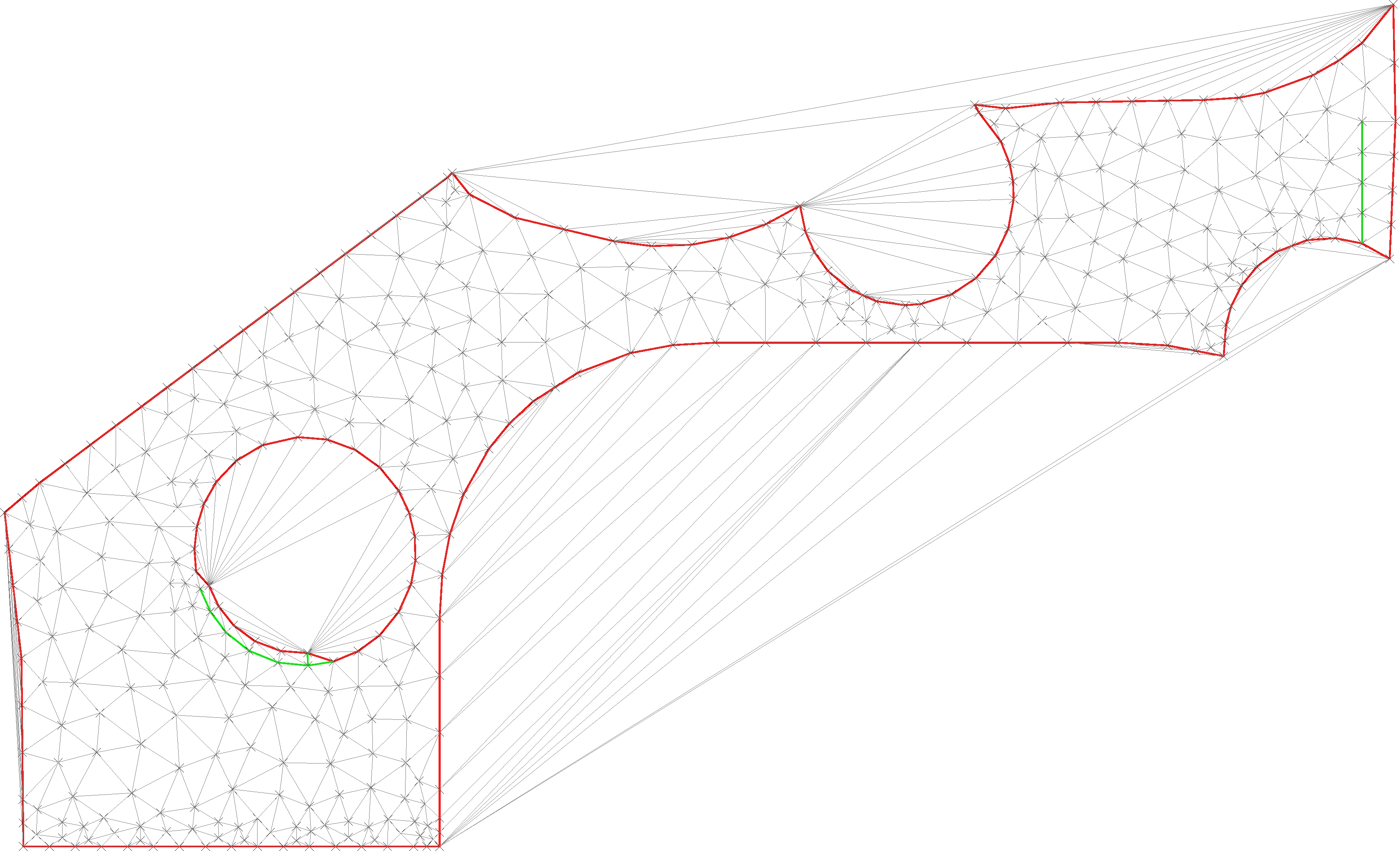
Mesh Smoothing: Weighted Laplacian smoothing eliminates noise in a mesh
Using the C++ Constrained Delaunay triangulation library:
NOTE: If you update from an earlier version then ALSO exchange the header files.
Fade comes as two separate libraries:
- Fade2D is a 2D Constrained Delaunay triangulation library with
- Polygon support
- Constraint edges
- Grid Mesher and Delaunay Mesh Generator
- Segment Intersection Test Software
- Fade2.5D is a C++ Constrained Delaunay triangulation library for 2.5D and it can do anything that the Fade2D library can do.. In addition it has a z-coordinate and a rich selection of algorithms made for Digital Elevation Models (DEM) and surfaces like
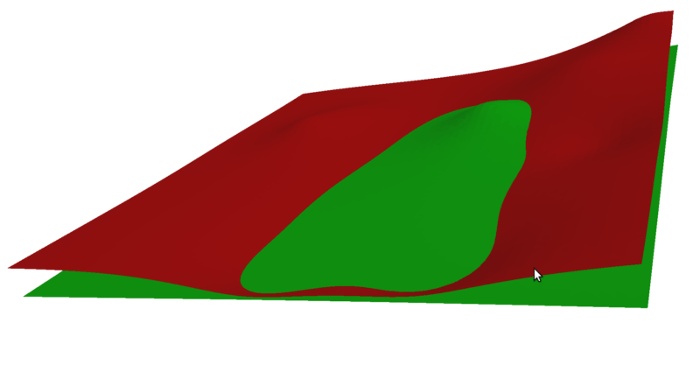
- Cut-and-Fill
- Cookie Cutter
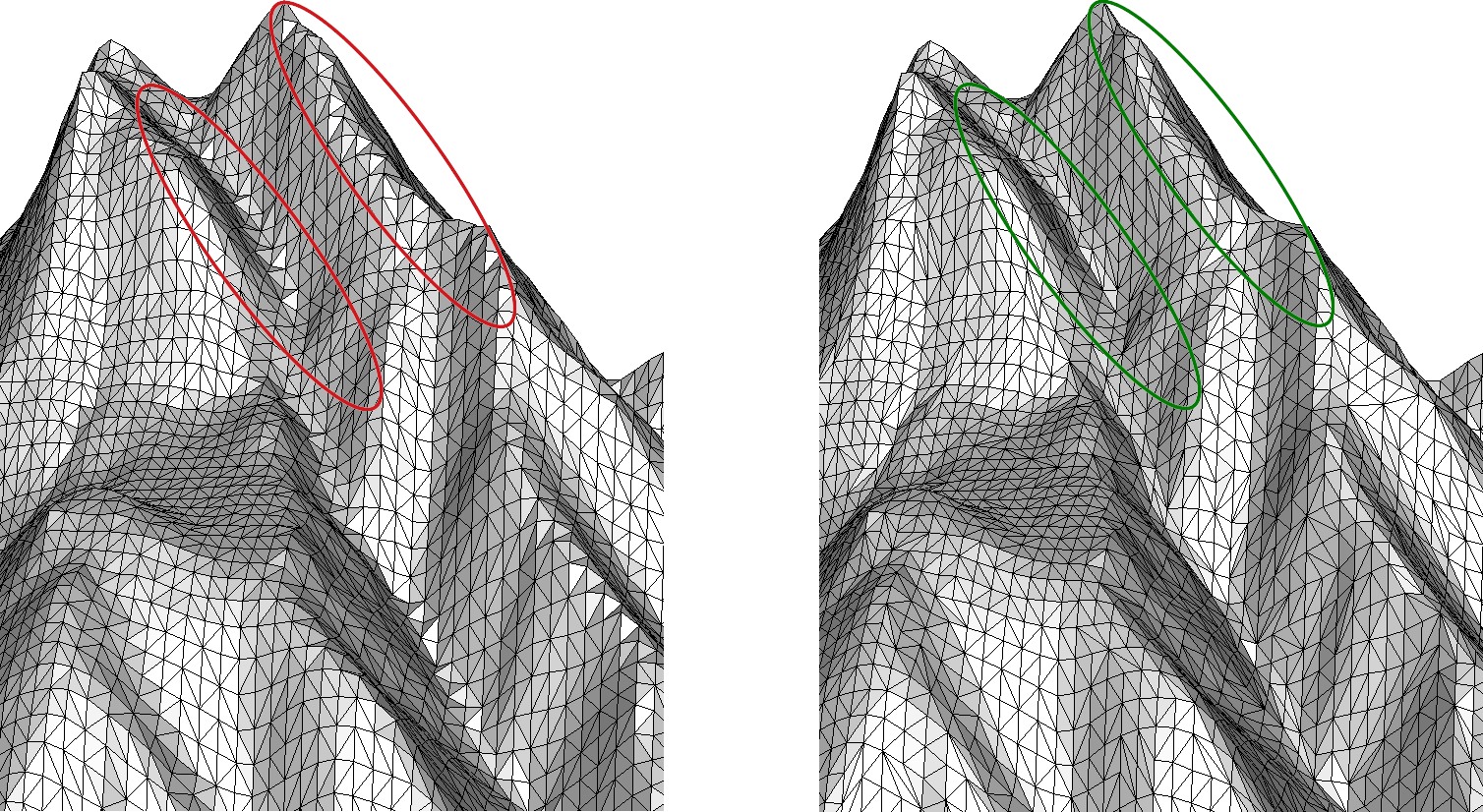
- Valley-/Ridge-triangulations
- Mesh smoothing
- Point cloud simplification.
A collection of 2D and 2.5D example source codes is included in the download. The C++ examples walk through the concepts of the library step by step. You can jump to the topic of your interest and refer back to the basics as needed. The basics of the 2D examples apply to the 2.5D version as well.
Compiling and Linking the Library under Windows:
- Open one of the Visual Studio example projects (supported: VS2010, VS2012, VS2013, VS2015, VS2017, VS2019, VS2022)
- Compile the example source code. The executable is written to the Win32 or x64 folder.
When linking the triangulation library with your own software you can use the settings from the provided example solutions or use the table below:
| Visual Studio | IDE | Platform Toolset |
| VS2010 | v10 | toolset v100 or Windows7.1SDK |
| VS2012 | v11 | toolset v110 |
| VS2013 | v12 | toolset v120 |
| VS2015 | v14 | toolset v140 |
| VS2017 | v15 | toolset v141 |
| VS2019 | v16 | toolset v142 |
| VS2022 | v17 | toolset v143 |
Compiling and Linking the Library under Linux and Mac:
- Edit the Makefile to specify your platform (Apple, Linux distro, or Raspberry Pi) and type 'make' to compile the example source code.
- Ensure that GMP is installed. On Ubuntu, Debian, Raspbian, you can install it using the following command:
$ sudo apt-get install libgmp10 (works on Ubuntu/Debian/Mint/Raspbian, on other systems search for libgmp or gmp)
Work through the provided examples. They are small, well-documented, and are also discussed on the website
Directory Contents
- include_fade2d and include_fade25d
Header files of the two libraries.
- Win32 and x64
This directory contains the DLL's for Windows 32-bit and 64-bit and it is the target directory for the executables of example code compiled with Visual Studio.
- lib_${DISTRO}_${ARCHITECTURE}
The shared library (*.so) for Linux/Apple developers.
- examples_2D
2D Example source code (*.cpp files) and Visual Studio projects
- examples_25D
2.5D Example source code (*.cpp files) and Visual Studio projects
- doc
Library Documentation in *.pdf format
Troubleshooting
- A supposed crash is often just an exception that has been thrown for a good reason. Use try/catch blocks to investigate the cause.
- Compare the settings of the example projects with your project settings.
- When updating from an earlier version: UPDATE ALSO THE HEADER FILES.
- Avoid mixing multiple Visual Studio versions. Use the correct dll.
- In rare cases you might need to increase Properties->ConfigurationProperties->Linker->System->StackReserveSize in your Visual Studio project settings.
- If your problem persists, feel free to send a minimal example that reproduces it and it will be fixed as soon as possible.
Release notes / History
Version 2.12 (February 29th, 2024)
Bug Fixes:
- Resolved issue with multithreaded triangulation malfunctioning when fewer than 3 non-degenerate points were inserted initially, leading to failures in subsequent calls.
- Fixed the getUndirectedEdges() function, which erroneously returned directed edges.
New Features:
- Support for .PLY File Format: read/write operations with 64-bit coordinates.
- Enhanced import method: Introducing the new importTriangles_robust() method, designed to import triangles specified as a list of 3 subsequent points per triangle. The improvement over the classic importTriangles() method is, that it works also in scenarios where rounding errors lead to overlapping triangles.
- Multithreading improved
Platform specific:
- iOS build supports arm and x86_64 simulator again
- macOS build supports arm64 and x86_64
Version 2.11 (February 27th, 2024)
- internal development and test version
Version 2.10, September 23rd, 2023:
- Bugfix in valley-ridge-optimization: OPTMODE_BEST could change the boundary edges of a zone
- Cookie-Cutter: Much better performance when edges are to be protected
Version 2.09, July 25th, 2023:
- Numeric improvements
- Bugfix for constraint insertion (very rare endless loop bug)
- Bugfix in CookieCutter
- New untwistPolygon() function to repair selfintersecting polygons
- MinGW64 support
- Better Zone::smoothing() method
- Two memory leaks fixed
Version 2.08, May 7th, 2023:
- Support for MinGW64 added
- Zone::smoothing() improved
- TestDataGenerators, createRandomSurfacePoints() improved
Version 2.07, April 11th, 2023:
- Experimental support for MinGW
- Grid meshes can be aligned to a certain reference point now
- Segment intersection: Numeric improvements
- Fade_2D::remove(std::vector<Point2*>) added which provides better performance than iterative calls to Fade_2D::remove(Point2*).
- Accuracy of Fade_2D::drape() improved.
Version 2.06, April 10th, 2023: INTERNAL TEST VERSION
- Segment intersection: Numeric improvements
- Fade_2D::remove(std::vector<Point2*>) added which provides better performance than calling Fade_2D::remove(Point2*) for a large number of points iteratively.
Version 2.05, April 5th, 2023: INTERNAL TEST VERSION
- Experimental support for MinGW
- Pivot point for grid meshing
Version 2.04, February 22nd, 2023:
- importTriangles(): Performance improved, multithreading added, progress counter added
- copyFade() function added to copy a Fade instance and its zones.
- native VS2022 version added.
Version 2.03, January 9th, 2023:
- Grid meshing is much faster now
- Memory leak fixed, possible numerical problem fixed
- Multithreading improved, see setGlobalNumCPU()
- Performance of Cut&Fill improved
Version 2.02, October 3rd, 2022:
- Cut&Fill revised for better reproducibility and robustness. The default value of ignoreThreshold has been reduced to 1e-6 to prevent null-components due to rounding.
- Numeric bug solved. This bug has not shown up for years but it is a critical one and upgrading to version 2.02 is recommended.
Version 2.01, September 19th, 2022:
- Reproducibility further improved.
- Note: For reproducibility pass the maximum number of vertices (including those created due to intersections and remeshing) to the Fade_2D constructor e.g., Fade_2D dt(1000000);
Version 2.00, September 15th, 2022:
- Fade v2.00 is simply the version number after v1.99. There are no fundamental or breaking changes in the library.
- Reproducibility of results for grid and quality meshing
- Minor fixes
Version 1.99, January 25th, 2022:
- Bugfix: In version 1.98 multithreading was not stable. Fixed.
- The function offsetPolygonPoints() accounts for angles of the polygon now.
Version 1.98, January 15th, 2022:
- Large coordinates and other numerically difficult settings are now handled more efficiently. It depends on your data whether this gives a dramatic improvement in performance.
- CutAndFill prints warnings to stdout but this is not always desired, so CutAndFill::go() takes a new parameter bool bWithMessages now. Use bWithMessages=false to disable the messages.
- FadeExport offers the new function FadeExport::lexiSort(): It sorts the points stored in FadeExport lexicographically. Use it for better reproducibility.
- New function FadeExport::getCustomIndex() to retrieve the (optional) custom index of a vertex.
- New function FadeExport::getNormal() to compute the normal vector of a stored triangle.
Version 1.97, October 29th, 2021:
- Custom indices via CloudPrepare work now
- Voronoi diagram fixed (it had an endless loop)
Version 1.96, October 18th, 2021:
- Bug in CloudPrepare::adaptiveSimplification() fixed and other small bugfixes
- iOS support added (please report your experience)
Version 1.95, October 2nd:
- Internal test version, bugfixes, iOS
Version 1.94, September 7th, 2021:
- Fixed: When all points are horizontal or all points are vertical then multithreaded insertion failed.
Version 1.93, September 1st, 2021:
- Bug in the new Voronoi diagram module solved
- Voronoi diagram improved
Version 1.92, August 9th, 2021:
- Multithreading issue finally fixed.
Version 1.91, August 8th, 2021:
- Fixed multithreading issue when SegmentChecker is used in multiple threads
- New methods in Fade_2D: getDirectedEdges(), getUndirectedEdges() and getNearestNeighbor()
- Export of Zones to the FadeExport struct
Version 1.90, August 8th, 2021:
- Fixed stability issue when SegmentChecker is used in multiple threads
- Fixed rare bug in the Fade_2D::drape() method
- Added pZone2::getComponentPolygons() to retrieve oriented boundary polygons per connected component
- Added the free function getSortedBoundaryPolygons()
Version 1.89, June 8th, 2021:
- Voronoi diagram: Numeric problems fixed.
- Visualizer: Scaling problem fixed.
- Circumcenter-computation improved.
- Segment intersection accuracy improved.
Version 1.88, June 4th, 2021:
- Voronoi diagram.
- Accuracy of Triangle::getDual() improved with multiple-precision arithmetic.
Version 1.87, May 5th., 2021:
- Additional versions of the load() and save() commands to also accept std::ostream and std::istream.
- There is a new version of the peelOffIf() function that removes unwanted border-triangles. It can prevent a zone from breaking apart by deleting triangles. It takes the new predicate "PeelPredicateTS", which allows more precise decisions. The version of peelOffIf() that takes the old "UserPredicateT" remains valid for backwards compatibility.
- When Fade_2D::createConstraint() inserts a constraint segment that intersects an existing one or an existing point, then it needs to be subdivided. By default, the intersection point is then assigned the height of the existing element. But now this function has an additional parameter 'bool bUseHeightOfLatest=false' which can be used to enforce the height of the last inserted segment.
Version 1.86, April 28th., 2021:
- New commands Fade_2D::saveTriangulation(), Fade_2D::saveZones(), Zone2::save() and Fade_2D::load() to save and load triangulation data. The new example ex11_save_and_load.cpp demonstrates it.
- New dry-mode parameter for CloudPrepare::uniformSimplifyGrid() and for CloudPrepare::adaptiveSimplify() so that the size of the point cloud that would result from the reduction can be determined.
Version 1.85, March 8th., 2021:
- Bugfixes: A multithreading-bug has been solved and strings are now correctly passed to the Visualizer2 class.
- New method Fade_2D::setFastMode(true) to avoid expensive computations. This accelerates triangulation of raster data i.e., points on a regular grid.
v1.84, Jan. 7th., 2021:
- IMPORTANT IF YOU UPGRADE FROM A PREVIOUS VERSION: To avoid passing std::strings over the DLL boundary, some function parameters have been changed from std::string to const char*. You will often not even notice this, but if your code should not compile anymore, then this is the reason. Instead of passing "yourString" please pass it as "yourString.c_str()". This change was unavoidable. Thank you for your understanding!
- New CloudPrepare class to simplify point clouds and also to avoid memory-usage-peaks. Have a look at the examples!
- New function Fade_2D::exportTriangulation() allows convenient transfer of triangulation data to your own data structures. The function was created with memory consumption in mind, i.e. while the data is exported, it frees memory from the library gradually.
- New function Zone2::smoothing() applies weighted Laplacian smoothing to the vertices of a zone.
- New Valley/Ridge optimization: With Zone2::slopeValleyRidgeOptimization() one can choose between 3 algorithms now to adapt the triangulation better to valleys and ridges. Have a look at the new examples.
- Example codes completely rewritten.
- Small bug fixes.
v1.83, Dec. 30th, 2020:
- Internal test release. Significant changes, thus it has not been released.
v1.82, Nov. 15th, 2020:
- Intermediate release to support CentOS/RedHat7.8. Minor improvements here and there.
v1.81, May 17th, 2020:
- Memory Leak in EfficientModel fixed. EfficientModel improved: Pruning the point cloud is much faster now and the new method zSmoothing() has been implemented. It provides minimum-, maximum-, median- and average-smoothing.
v1.80, March 25th, 2020:
- Bug in Cut&Fill solved: A foot point was computed in 3D while it should have been computed in 2D. The difference was in most cases insignificant and thus the problem did not become apparent earlier. Sorry. Fixed.
- Improvement in Cut&Fill: The algorithm checks now if the two input zones do overlap. If not, the CutAndFill::go() method returns false and the CutAndFill object shall not further be used.
- Example source codes adapted and -std=c++98 removed from their Makefiles
- Documentation improved
v1.79, January 20th, 2020:
Internal version. Revision.
v1.78, November 15th, 2019:
- Bugfix: Multithreading did not work in Windows due to a CMake configuration error.
- A typo in the function name Fade_2D::measureTriangulationTime() has been corrected.
v1.77, October 21st, 2019
- Support for Visual Studio 2019.
- A bug has been fixed: In a rare case a self-intersecting constraint graph could generate an error.
- Improvements: The constraint-insertion-strategies CIS_CONFORMING_DELAUNAY and CIS_CONFORMING_DELAUNAY_SEGMENT_LEVEL are deprecated now.
- The fast and reliable replacement is CIS_CONSTRAINED_DELAUNAY along with the new methods ConstraintGraph::makeDelaunay() and Fade_2D::drape(). See the new example code in examples_25D/terrain.cpp.
v1.75 and 1.76
v1.74, March 19th, 2019:
- Cleanup: The (until now experimental) surface reconstruction module has been moved into the separate WOF Point Cloud Meshing library (https://www.geom.at/products/wof-point-cloud-mesher/). This makes the binaries smaller and it improves the maintainability of the code.
- Cleanup: Support for VS2008 has been dropped (if you are a commercial user and still need VS2008 then contact the author please!).
- The build system has been migrated to CMake to reduce the manual work and to guarantee uniform flags for all builds.
- The HoleFiller class that has been developed for the removed surface reconstruction module is retained in the library because it has already users. Its code has been revised in order to provide repeatable results for identical inputs.
- According to a user request the MeshGenParams class (used for advanced Delaunay Meshing) offers now a method to lock certain constraint segments such that they are not splitted while all others can be splitted if required.
v1.73, January 14th, 2019:
- While all below mentioned releases after v1.63 were development versions the present v1.73 is again an official release for all.
- The work of the below betas is included
- as well as a bugfix in the getProfile() method of the IsoContours class (this method was new and experimental in v1.63)
v1.71 and 1.72, October 24th, 2018:
- (internal) Hole-Filling (Polygon-Triangulation) improved.
v1.70, October 17th, 2018:
- (internal) Hole-Filling (Polygon-Triangulation) improved.
v1.69, October 15th, 2018:
- (internal) Hole-Filling (Polygon-Triangulation) improved.
v1.68, September 14th, 2018:
- (internal) Hole-Filling (Polygon-Triangulation) improved.
v1.67, September 4th, 2018:
- (internal) Hole-Filling (Polygon-Triangulation) is now offered via. an API call. Intermediate beta release.
v1.66, August 25th, 2018:
- (internal) Bugfix in Cut&Fill: An intersection point could be slightly off its expected range. Solved. Unofficial intermediate code.
v1.65, July 29th, 2018:
- (internal) Another bugfix in Cut&Fill. Unofficial intermediate binary.
v1.64, July 21st, 2018:
- (internal) Bugfix in the Cut&Fill module: In rare cases Cut&Fill crashed due to unexpected numeric deviation (fixed).
- The importTriangles() function has been reimplemented and is considerably faster now.
- And there is a change that affects only 32-bit users: Binary files written with the writePointsBIN() and writeSegmentsBIN() functions on 32-bit machines were not readable on 64-bit machines. The format on 32-bit machines (read/write) has been adapted to match exactly the one of 64-bit machines. But note that old 32-bit files are not readable anymore. This should affect next to nobody, thus this solution has been chosen.
v1.63, June 10th, 2018:
- Cookie-Cutter operation added. 3D Point Cloud Reconstruction added to the API (but is still under development, pls. take it as a preview).
- Raspberry PI support added again.
v1.62, June 3rd, 2018:
- 3D Point Cloud Reconstruction considerably improved. Unofficial demo.
v1.61, May 1st, 2018:
- 3D Point Cloud Reconstruction: Unofficial demo.
v1.60, February 26th, 2018:
- Accurate computation of glancing segment intersections.
- Additional parameter for Advanced Meshing: bool bKeepExistingSteinerPoints=true in MeshGenParams makes all Steiner points from previous refinement calls static, i.e. unremovable during subsequent refinement calls. This way Advanced Meshing can be carried out for several zones of a triangulation such that it does not destroy what has been meshed so far.
v1.59, January 14th, 2018:
- Performance upgrade: Multithreading is available now. Large point sets reach a speedup of 4.4 on a hexacore CPU (i7 6800K)
v1.58, October 23th, 2017:
- Mesh Generator refactored. Delaunay Meshing is +10x faster now.
- A function to create polygons from boundary edges has been added.
v1.57, October 9th, 2017:
v1.56, September 24th, 2017:
- Bugfix: createConstraint() crashed in a rare case. Solved.
- Functions for binary file I/O added.
v1.55, August 12th, 2017:
- Access to internal Cut&Fill datastructures revised.
- Example source codes revised. Support for Visual Studio 2017 added.
v1.54beta, August 8th, 2017:
- Access to internal Cut&Fill datastructures. . This is a pre-released beta, code quality is good but final tests and documentation updates required.
v1.53, July 15th, 2017:
- Error corrections and performance upgrades in the still quite new Cut&Fill library module.
v1.53 beta, June 2nd, 2017:
- The new Cut&Fill library module has been added. Cut&Fill computes the volume between two surfaces.
v1.51 beta, May 27th, 2017:
v1.50, April 5th, 2017:
After three internal betas (that concetrated on refactoring and rare bugs) this is again a stable public release:
- The constraint insertion subsystem has been rewrittten and is faster now.
- Visualization improved.
- Exact orientation tests provided through the API.
- Improved progress bar support. Mesh generator improved.
- Users who upgrade from earlier Fade releases: The Zone2::getArea() and Triangle2::getArea() methods have been replaced by getArea2D() in Fade2D and by getArea2D() AND getArea25D() in Fade2.5D. The reason is that the old getArea() method was easily misunderstood in Fade2.5D (it returned the same result as getArea25D() now). We have decided to remove the old method to avoid confusion and a potential source of error. If necessary, please adapt your code.
v1.49, March 2nd, 2017:
- Constraint insertion subsystem improved.
- Mesh generator revised.
v1.48, February 15th, 2017:
- Corrections of yesterday's v1.47.
v1.47, February 14th, 2017:
The focus of this (for now) non-public version is stability:
- Intersecting constraint segments must be subdivided although their exact intersection is not always representable with double precision coordinates. Thus tiny rounding errors are unavoidable and these caused trouble in very unlikely cases.
- The constraint insertion subsystem has now been re-implemented to behave robust also in such cases.
v1.46a, January 14th, 2017:
- +++ Raspberry PI is supported now +++ // Apart from RPI support v1.46a is equal to v1.46. Raspberry PI users: Please give feedback, do you have everything you need for RPI development now?
v1.46, January 8th, 2017:
- +++ MacOS is supported now +++ //
- A new class EfficientModel takes oversampled 2.5D point clouds and returns a subset that represents the model efficiently. The automatic pruning process runs in a controlled fashion such that a user specified maximum error is kept.
- The Delaunay Mesh Generator is now supported by a Grid Mesher, thus it creates more regular meshes.
- The Delaunay triangulation of specific point sets is not unique, for example when grid points are triangulated (4 points on a common circumcircle). To improve the repeatability and for reasons of visual appearance the new method Zone2::unifyGrid() has been implemented.
- A problem in the point location method Fade_2D::locate() when the query point was exactly on the convex hull of the triangulation has been solved.
v1.43, November 20th, 2016:
- Better example source code for the new SegmentChecker class.
- And the SegmentChecker of v1.42 returned false positives, this problem is solved now.
v1.42, October 19th, 2016:
- The new tool SegmentChecker takes a bunch of segments and fully automatically identifies intersecting segments. The underlying data structure makes the tool incredibly fast. Intersecting segments can be visualized. Intersections can be computed in 2D and 2.5D (with heights).
- A new module named TestDataGenerators creates random polygons, random segments, points, random numbers and polylines for automated software stress tests. Progress bar support added.
v1.41, July 24th, 2016:
- New constraint insertion strategy.
- Minor bug fixes.
- Performance slightly improved.
v1.40 beta, June 14th, 2016:
- Non public intermediate test code.
- Bounded zones introduced: Mesh generation algorithms require that zones are bounded by constraint segments. This is certainly the case for the most usual zones with zoneLocation=ZL_INSIDE. But other types of zones may be unbounded and in this case remeshing won't work well, so it was necessary to change the behavior: From now on calling refine() and refineAdvanced() is only allowed with zones whose zoneLocation is ZL_INSIDE or ZL_BOUNDED. A bounded zone can easily be gained from any other zone using Zone2::convertToBoundedZone(). Also new: Fade_2D::createConstraintGraph(..) has now a third parameter 'bool bOrientedSegments=false'. By default it is false to provide backwards compatibility. This parameter allows you to specify that the provided segments are CCW oriented. This way more complex inside- and outside-zones can be formed.
- Performance of Fade_2D::createConstraint(..) drastically improved.
v1.39, May 31st, 2016:
- Non public intermediate beta.
v1.37a, March 15th, 2016:
- Small upgrade: The performance of the remove method has been improved.
v1.37, March 10th, 2016:
- Interface change in the MeshGenParams class. The class has been introduced two weeks before, so chances are good that the change does not affect you. Previously the class had the methods getMaxTriangleArea(double x,double y) and getMaxEdgeLength(double x,double y) where x and y where the barycenter of a triangle for which the algorithm determines if it must be refined. The change is that x and y have been replaced by the triangle itself to give client code even more control (x and y can still be computed from the triangle).
v1.36, February 29th, 2016:
- Experimental method refineExtended(..) replaced by the (now permanent) method refineAdvanced(MeshGenParams* pParams). This method allows much more control over the mesh density.
v1.34, February 14th, 2016:
- Vertex management subsystem revised (sometimes Vertex removement did not work as expected). Performance improvement.
v1.33 PreRelease, January 17th, 2016:
The previous official Fade version is Fade 1.24. It was released 6 months ago. Since then major developments have been made and now a big upgrade follows with v1.33.14:
- Constraint segments may intersect now and they are automatically subdivided at their intersection points.
- Import of existing triangles is supported and one can cut through static triangulations. This version is well tested. It also runs at two customers sites with no known problems. But due to the large amount of new code we call this one a pre-release. Please report if you find any problems and note that it is also helpful if you report that the library works well in your setting. The DLL names have been adapted to the safer and more convenient pattern
fade[2D|25D]_$(Platform)_$(PlatformToolset)_$(Configuration).dll
If you upgrade from an earlier release it is recommended that you remove any previous Fade DLL's to avoid unintended linking to an old binary.
v1.31 and 1.32, December 1st, 2015:
- Non public intermediate release, improves the CDT.
v1.30, November 18th, 2015:
- Non public intermediate release, improves the refineExtended method.
v1.29, October 17th, 2015:
- Non public intermediate release. The method importTriangles() detects invalid input data now and returns NULL to avoid an assertion or even an infinite loop when the input data is not clean. The possibly invalid input elements are written to stdout and a postscript file visualizes where the problem occurs.
v1.28, October 10th, 2015:
- Non public intermediate release. Customer specific code revised. Stress tests with random polygons and segments have been made. Heap checking to ensure proper memory handling.
v1.27, October 5th, 2015:
- Non public release, improvements of the recently implemented functions, especially of customer specific code Fade_2D::importTriangles() and Fade2D::cutTriangles().
v1.26, September 8th, 2015:
- New functions of the last unofficial v1.25 have been revised. Constraint segments may intersect now.
v1.25, August 18th, 2015:
- Intermediate pre-release with new features: importTriangles() imports arbitrary triangles into a triangulation, cutTriangles() allows to insert a constraint segment as if it where a knife, getOrientation() provides an exact orientation test. Zone2 objects can now also be made from a set of triangles. Constraint segments can intersect now. These features correspond to a large amount of new code: Please test v1.25 carefully before deploying it in a production environment.
v1.24, July 22nd, 2015:
- Public release of v1.23's improvements. And I'm sorry but we had a bug in Fade_2D::getVertexPointers(..). The method may have missed to return a few pointers after a call to refine() or remove(). This bug is fixed now.
v1.23, July 9th, 2015:
- Internal test release with the new refineExtended() method for the specific needs of a certain client software.
v1.22, May 25th, 2015:
- Code refactored, build system refactored and as a result improved Linux support: CentOS 6.4, Ubuntu 14.04, Ubuntu 15.04 and similar systems.
- Removement of points has been implemented
- Delaunay meshing has been reworked,
- sqDistance() has been replaced by sqDistance2D() and sqDistance25D() because both versions are useful in 2.5D.
- OpenMP has been removed, it was only used under Linux and currently I work on a better way to provide multithreading.
v1.21, May 17th, 2015:
- Unofficial intermediate release. Testing new features.
v1.20, April 5th, 2015:
- 3D scene Visualization for (up to date) web browsers added. Misleading enumeration values CIS_KEEP_DELAUNAY and CIS_IGNORE_DELAUNAY have been replaced by CIS_CONFORMING_DELAUNAY and CIS_CONSTRAINED_DELAUNAY (the two deprecated names are kept for backward compatibility).
- Bug in the free function center(Point2&,Point2&) solved.
- Major revision of the documentation pages.
- The source codes of the examples has been reengineered and is included in the present documentation pages.
v1.19, October 26th, 2014:
- Support for Visual Studio 2013 (VC12) has been added.
- Only minor code changes.
v1.18.3, June 9th, 2014:
- Delaunay Mesh Generation has been improved: Better quality, better performance.
- API improved.
- Small bug fixes.
v1.16.1, February 10th, 2014:
- Small update: In rare cases it was possible that subdivided ConstraintSegments caused problems in combination with zone growing. This is fixed now.
v1.16, February 3rd, 2014:
- Constrained Delaunay triangulation improved,
- Delaunay meshing improved,
- aspect ratio meshing (experimental) added.
- Minor bug fixes.
- Added support for Visual Studio 2012.
v1.14, November 2013 and v1.15, December 2013:
- Non-public intermediate releases (betas with experimental features).
v1.13, August 4th, 2013:
- Mesh generation (Delaunay Meshing) has been improved and two bugfixes have been made in the new IsoContours class: A message can be suppressed now and a numeric problem has been fixed.
v1.12, June 30th, 2013:
- Starting with v1.12 the download consists of two separate libraries: The familiar full version of the 2D flavor as well as a 2.5D evaluation version. Two very fast new methods have been added to the 2.5D edition: One computes iso-contours, the other computes the height of a point with arbitrary (x,y) coordinates.
- Delaunay mesh generation has been improved.
- Support for VS2008, 32-bit and 64-bit, has been added.
- The performance has been improved.
v1.11, June 14th, 2013:
- Non-public intermediate release with VS2008 support and a first version of the iso-contour feature.
v1.10, March 30th, 2013:
- Delaunay Refinement (already included as preview in the previous release) has been improved and is officially released now. Parts of the algorithm can use up to 8 CPUs under Linux if explicitly switched on using Fade2D::enableMultithreading().
- There is a new insert method in the API which uses arrays.
v1.03, Nov. 4th, 2012:
- A critical bug has been fixed, please switch to v1.03.
- Performance upgrade: A first step towards multithreading has been made in the Linux version.
- In order to facilitate the installation for users without administrator privileges the installers have been replaced by a simple zipped directory that contains everything.
- Meshing through Delaunay Refinement is scheduled for the next release but it is pre-released as an experimental feature in the current v1.03.
v1.02, 9/2012:
- An additional debug library for Windows has been added and
- the directory structure has been reorganized.
v1.01, 9/2012:
- This is a stable public release. Since v0.9 we have introduced insertion of constraint edges and the zone concept. Moreover the API is under a namespace now. Boost types have been removed from the API to avoid this additional dependency. New demo software has been written and the library is now also available for 64-bit Windows.